
blog美化记录
第一次优化
1. 添加emoji表情支持(可选的)
本主题新增了对emoji表情的支持,使用到了 hexo-filter-github-emojis 的 Hexo 插件来支持 emoji表情的生成,把对应的markdown emoji语法(::,例如:😄)转变成会跳跃的emoji表情 安装命令如下:

1 | npm install hexo-filter-github-emojis --save |
在 Hexo 根目录下的 _config.yml 文件中,新增以下的配置项:
1 | githubEmojis: |
执行 hexo clean && hexo g 重新生成博客文件,然后就可以在文章中对应位置看到你用emoji语法写的表情了。
2. 代码高亮
由于 Hexo 自带的代码高亮主题显示不好看,所以主题中使用到了 hexo-prism-plugin 的 Hexo 插件来做代码高亮 安装命令如下:
1 | npm i -S hexo-prism-plugin |
然后,修改 Hexo 根目录下 _config.yml 文件中 highlight.enable 的值为 false,并新增 prism 插件相关的配置,主要配置如下:
1 | prism_plugin: |
当你添加代码块时一定要加上语言的名字不然此功能会无效!
3. 搜索
本主题中还使用到了 hexo-generator-search 的 Hexo 插件来做内容搜索
1 | npm install hexo-generator-search --save |
在 Hexo 根目录下的 _config.yml 文件中,新增以下的配置项:
1 | search: |
4. 中文链接转拼音(可选的)
如果你的文章名称是中文的,那么 Hexo 默认生成的永久链接也会有中文,这样不利于 SEO,且 gitment 评论对中文链接也不支持。我们可以用 hexo-permalink-pinyin Hexo 插件使在生成文章时生成中文拼音的永久链接
1 | npm i hexo-permalink-pinyin --save |
在 Hexo 根目录下的 _config.yml 文件中,新增以下的配置项:
1 | permalink_pinyin: |
注:除了此插件外,hexo-abbrlink 插件也可以生成非中文的链接。
如果你想要在文章中显示文章字数、阅读时长信息,可以安装 hexo-wordcount插件
1 | npm i --save hexo-wordcount |
然后只需在本主题下的 _config.yml 文件中,激活以下配置项即可:
1 | wordCount: |
第二次优化
1. hexo-githubcalendar 插件
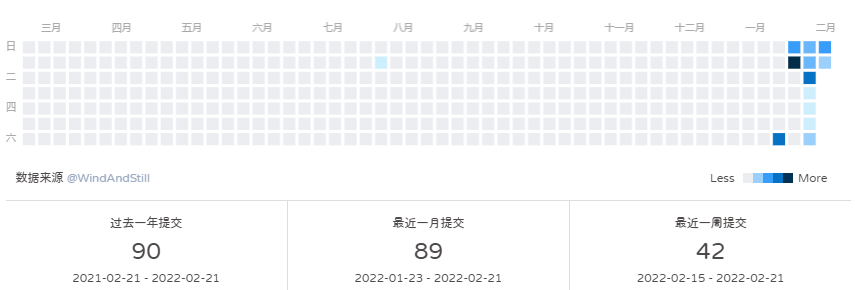
NPM 插件安装的部署方法
执行 npm 安装操作
1 | npm i hexo-githubcalendar --save |
注意,一定要加 --save,不然本地预览的时候可能不会显示!!!
1 | # Ice Kano Plus_in |
更多主题配置请前往:https://github.com/Zfour/hexo-github-calendar/issues
也欢迎共享自己的配置和进行修改。
接下来来简单说明一下配置项的含义:
enable
参数:true/false
含义:是否开启插件
enable_page
参数:/
含义:路由地址,如 / 代表主页。/me/ 代表自我介绍页等等
user
参数:zfour
含义:你的 github 或者 gitee 用户名
layout
参数:type; (class&id)
参数:name;
参数:index;(数字)
含义:如果说 gihubcalendar 是一幅画,那么这个 layout 就是指定了哪面墙来挂画
而在 HTML 的是世界里有两种墙分别 type 为 id 和 class。
其中在定义 class 的时候会出现多个 class 的情况,这时就需要使用 index,确定是哪一个。
最后墙的名字即是 name;
githubcalendar_html
参数:html 模板字段
含义:包含 loading,和挂载容器
1 | <div name="我是墙" id="recent-posts"> |
githubcalendar_html
参数:html 模板字段
含义:包含 loading,和挂载容器
1 | <div class="recent-post-item" style="width:100%;height:auto;padding:10px;"> |
pc_minheight
参数:280px
含义:电脑端插件的最小高度,减少加载带来的视觉偏移
mobile_minheight
参数:0px
含义:手机端插件的最小高度,减少加载带来的视觉偏移
color
参数:“[‘#ebedf0’, ‘#fdcdec’, ‘#fc9bd9’, ‘#fa6ac5’, ‘#f838b2’, ‘#f5089f’, ‘#c4067e’, ‘#92055e’, ‘#540336’, ‘#48022f’, ‘#30021f’]”
含义:calendar 的主题色
1 | # 以下色调选择喜欢的一行保留即可。其余注释。—————akilar的糖果色 |
api
参数:https://python-github-calendar-api.vercel.app/api
或 https://python-gitee-calendar-api.vercel.app/api
含义:这里提供的是公用的 api,仅供日常使用,请不要滥用。如果想搭建自用 api,具体的部署方案可看考 python_github_calendar_api 及 python_gitee_calendar_api 的文档说明,这里不多加赘述。
calendar_js
参数:https://cdn.jsdelivr.net/gh/Zfour/hexo-github-calendar@1.21/hexo_githubcalendar.js
含义:jsd 加速的 js,将 github calendar 挂载入容器中
目前已知 bug:在 1.21 适配 retina 屏幕后虽解决了模糊问题,但部分用户的 tooltip 会出现数据错误。降级到 @1.16 使用即可解决。
plus_style
参数:“”
含义:提供可自定义的 style
如果你是 butterfly 主题,你需要修改用户名即可,如果你想在友链或者个人介绍挂载,你可以在 md 中增加墙 —— 也就是具有某一的 id 的 div。因为是在 md 中所以通过去掉 class 隐藏画框的样式,即可。同时需要调整 enable_page 来限定展示的页面。
如果你是其他主题用户,你可以尝试使用墙 > 画框 > 画的方式挂载,也可以通过修改主题模板来挂载。如
给萌典主题加上 git-calendar 的方法。
hexo 三连
执行 hexo 三连
1 | hexo clean && hexo g && hexo s |
更多详情请查看
2. 透明特效
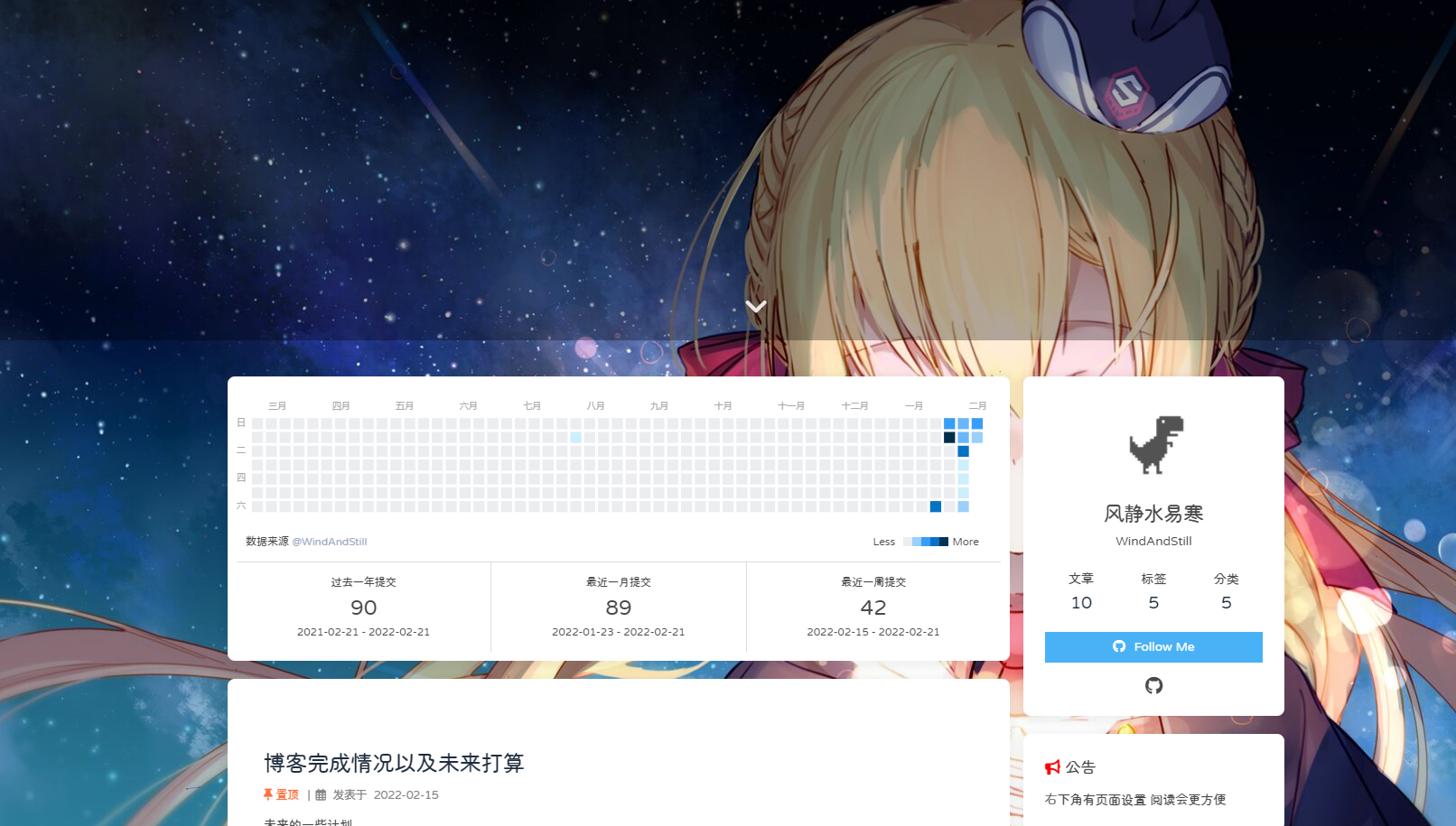
首页部分
把横幅图片top_img与背景图background设置成一样的
页脚部分
在footer.styl(位置直接搜索)里的#footer里
1 | background: transparent ; |
首先在主题配置文件里全部把这些页面的图片值改为false
其他页面头部
1 | disable_top_img: false |
然后在head.styl里把background-color: $light-blue注释
1 | // background-color: $light-blue |
更多详情请查看
3. 字体样式修改
首先需要下载心仪的字体。得到相应的字体文件。为了方便起见,我将其重命名为
Candy.ttf。将下载好的字体包放到本地文件夹下,这里推荐新建一个
fonts文件夹。例如我是放在[Blogroot]\themes\butterfly\source\fonts\目录下。在自定义样式
custom.css中引入字体包:1
2
3
4
5
6
7
8
9@font-face{
font-family:'Candyhome' ; /* 字体名自定义即可 */
src:url('/fonts/Candy.ttf'); /* 字体文件路径 */
font-display : swap;
}
body{
font-family: 'Candyhome';
}更多详情请查看
1
更改整体字体
第三次优化
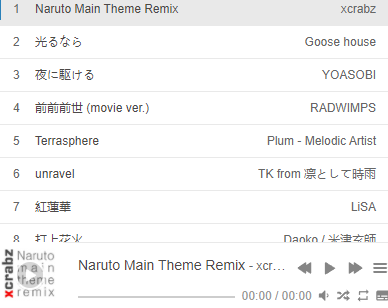
在博客根目录
[Blogroot]下打开终端,运行以下指令安装 hexo-tag-aplayer 插件1
npm install hexo-tag-aplayer --save
在站点配置文件
[Blogroot]\_config.yml中新增配置项,建议直接加在最底下1
2
3
4
5# APlayer
# https://github.com/MoePlayer/hexo-tag-aplayer/blob/master/docs/README-zh_cn.md
aplayer:
meting: true
asset_inject: false修改主题配置文件
[Blogroot]\_config.butterfly.yml中关于 Aplayer 的配置内容1
2
3
4# Inject the css and script (aplayer/meting)
aplayerInject:
enable: true
per_page: true配置成功后会发现 Aplayer 的吸底标签一直占据着左下角的一片空间,对手机端阅读不太友好,可以添加一下 CSS 样式使其自动缩进隐藏。在
[Blogroot]\themes\butterfly\source\css\custom.css中 (没有这个文件就按照路径自己新建) 添加如下内容1
2
3
4
5
6
7
8
9.aplayer.aplayer-fixed.aplayer-narrow .aplayer-body {
left: -66px ;
/* 默认情况下缩进左侧66px,只留一点箭头部分 */
}
.aplayer.aplayer-fixed.aplayer-narrow .aplayer-body:hover {
left: 0 ;
/* 鼠标悬停是左侧缩进归零,完全显示按钮 */
}在主题配置文件
[Blogroot]\_config.butterfly.yml的 inject 配置项中添加 Aplayer 的容器1
2
3
4
5inject:
head:
- <link rel="stylesheet" href="/css/custom.css" media="defer" onload="this.media='all'">
bottom:
- <div class="aplayer no-destroy" data-id="5183531430" data-server="netease" data-type="playlist" data-fixed="true" data-mini="true" data-listFolded="false" data-order="random" data-preload="none" data-autoplay="false" muted></div>
更多详情请查看
想要添加的功能的功能
封面图片加载自动切换
图册
live2d
以及很多
先放着以后再写
 微信
微信 支付宝
支付宝